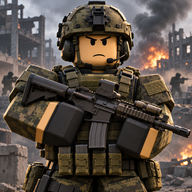
Mastering Dummy War Controls: The Ultimate Guide to Keybinds, Combat & Strategy
Learn the essential Dummy War controls for Roblox. Our guide covers keybinds, leaning, stance mechanics, and how to dominate in this endless team shooter.
If you’ve just spawned into the chaotic streets of Dummy War on Roblox, you’ve likely experienced a rapid and confusing demise. Understanding the Dummy War controls is your first and most critical step toward survival and success. This guide will break down every keybind, explain the game’s unique mechanics like leaning and stance cycling, and set realistic expectations for what controlling your soldier truly entails. Mastering these Dummy War controls transforms you from a helpless target into an effective combatant on the battlefield.
What Is Dummy War on Roblox?
Before diving into the controls, it's important to understand the game's context. Dummy War is a first-person shooter experience available exclusively on the Roblox platform. The game pitches two factions against each other in a perpetual battle for map control: the attacking Dummy Rebels and the defending Dummy Army.
The core gameplay loop is straightforward but intense. Teams fight over capture points scattered across the map. There is no match timer—games persist in an endless tug-of-war until players decide to leave. This format emphasizes sustained frontline pressure and map knowledge over quick, timed rounds. According to community reports, the game was developed by @New77vovo77, who is credited as both builder and tester.
Crucially, Dummy War is a player-versus-player shooter where you control a single character. It does not feature a campaign mode, a unit roster, or commander mechanics for directing AI troops. Your entire focus is on mastering your own soldier's movement, positioning, and weapon handling.
The Complete Dummy War Control Scheme
Your effectiveness in Dummy War hinges on a compact set of keybinds. Unlike some shooters with complex command wheels or extensive ability hotkeys, Dummy War relies on a handful of essential inputs that govern your stance, weapon management, and a standout feature: leaning.
Here is the complete, authoritative control list for the Roblox version of Dummy War, based on the game's reference materials.
| Key | Primary Action | Important Notes |
|---|---|---|
| R | Reload Gun | Initiates the standard reload animation. |
| F | Load the Gun | Used in specific weapon states; function may vary. |
| C | Crouch / Go Prone | A cycle key. First press crouches, second press goes prone (lay down). |
| X | Disable | Contextual action; its precise in-game effect should be tested. |
| V | Switch Weapon Mode | Cycles between available fire modes (e.g., single-shot, burst, auto). |
| Q | Lean Left | Toggles a lean to the left. |
| E | Lean Right | Toggles a lean to the right. |
Understanding Stance Cycling with 'C'
The C key is a versatile but potentially tricky control. It functions as a cycle between three stances:
- Standing (default)
- Crouching (first press)
- Prone/Laying Down (second press)
Crouching lowers your profile, increases weapon stability, and can help you hold angles defensively. Going prone makes you a smaller target but severely limits mobility. You must learn the timing of the cycle to reliably achieve your desired stance without fumbling in a firefight.
The Tactical Advantage of Leaning (Q/E)
Leaning is not just a cosmetic feature; it's a core tactical tool. By pressing Q or E, you can lean your character left or right without fully exposing your body. This allows you to peek around corners, shoot from behind cover, and present a harder-to-hit target. Remember, these are toggle keys—you lean out and then lean back in.
How to Control Your Soldier: Setting Realistic Expectations
A common point of confusion for new players stems from the phrase "control soldiers." In Dummy War, you are not a commander. You do not issue orders to AI squadmates or manage a unit roster.
Controlling soldiers in Dummy War means controlling your soldier, and only your soldier. Your agency is focused entirely on your own dummy's actions on the battlefield. If you were expecting a real-time strategy layer, you will not find it in the game's current, documented state. Always verify in-game for any potential updates, but base your expectations on the confirmed shooter mechanics.
Here’s what you can and should focus on controlling:
- Your Position: Use movement, crouch, prone, and leaning to manage your exposure.
- Your Weapon: Efficiently reload, load, and switch fire modes to adapt to any engagement distance.
- Your Role: Play as part of a team attacking or defending capture points. The team objective is your primary goal.
- Your Engagement Pace: With no time limit, you control how aggressively or cautiously you play.
Advanced Combat Tips for Mastering Dummy War Controls
Knowing the keybinds is one thing; applying them effectively under pressure is another. These actionable tips, derived from the control scheme, will help you build better combat habits.
| Tip Category | Key Concept | How to Execute |
|---|---|---|
| Leaning & Peeking | Peak Efficiency | Toggle lean (Q/E) before you aim down sights. Peek, then fire. Leaning mid-aim ruins your accuracy. |
| Stance Management | Right Tool for the Job | Use Crouch (C) to hold a capture point. Use Prone (second C press) to anchor a long sightline or make yourself a minimal target. |
| Weapon Awareness | Mode Check | Constantly check your fire mode with V. Entering a close-quarters fight on single-shot is a fatal mistake. Cycle modes during downtime, not mid-duel. |
| Map Knowledge | Objective Focus | Learn the fixed capture point locations. Controlling the map matters more than having the highest kill count. |
| Practice Mindset | Endless Training | Use the unlimited match time to your advantage. Practice lean-peek-shoot repetitions and stance transitions in a live environment without pressure. |
Creating a Personal Training Drill
Since the game has no timer, design your own drills. For example:
- Spawn and immediately practice leaning left and right behind a piece of cover.
- Move toward a point, practicing the crouch-to-prone cycle as you advance.
- Upon reaching a contested area, focus on checking your fire mode (V) and reloading (R) before enemies appear.
This conscious practice builds the muscle memory needed to make the Dummy War controls second nature.
Capturing and Sharing Your Gameplay
A vibrant part of any Roblox game is sharing highlights. Community reports indicate that the Dummy War community hub is a growing space, making it a great time to contribute content.
To record your gameplay, you can use Roblox's built-in recording features or third-party apps. A common method within the Roblox ecosystem involves using the Medal.tv app, which allows you to save the last few minutes of play with a hotkey (often F8). This is perfect for capturing that flawless round where your mastery of the Dummy War controls led to a clutch point capture.
You can share these clips on the official Dummy War Roblox game page to help build the community's knowledge and showcase advanced tactics.
Dummy War Controls: FAQ
Q: Can you command AI soldiers or a squad in Dummy War? A: No. Based on all available documentation and player experience, Dummy War is a team-based shooter where you control one character. There is no evidence of AI squad command or real-time strategy elements.
Q: Are the Dummy War controls customizable? A: The source material does not mention in-game key rebinding options. Players typically use the default keys listed: R, F, C, X, V, Q, and E. For platform-specific accessibility options, check the Roblox client settings.
Q: Is there a sprint or melee button in the Dummy War controls? A: The published keybind list does not include actions for sprinting or melee attacks. Movement speed is likely constant, and combat is focused on firearm use with the documented controls.
Q: What’s the best way to practice the controls? A: The absolute best way is to use the game's endless match format. Join a server and dedicate time to drilling each keybind individually—spend a life focusing only on leaning, another on stance cycling, etc. There's no penalty for taking your time to learn.
The Path to Mastery
Ultimately, excelling in Dummy War on Roblox comes down to proficiency with a minimalist control scheme. The game asks you to master a few actions—lean, stance-cycle, reload, switch fire modes—but execute them with perfect timing and tactical awareness. The absence of a match timer is a gift to learners, providing a low-pressure environment to build competence.
Focus on controlling what you can: your dummy's position, your weapon's state, and your contribution to the team's score. Don't search for hidden commander menus; instead, invest in perfecting the lean-shot-reload rhythm that defines skilled play. With this guide to the essential Dummy War controls, you're now equipped to move from being a passive participant to an active force on the front lines of this endless robotic conflict.
Related Guides
Dummy War Beginner Guide: Capture Points, Factions, and Winning Tactics on Roblox
A Dummy War beginner guide: the Dummy Rebels vs Dummy Army split, capture point control, loadout basics, and mistakes that get players killed.
Dummy War Best Strategy Guide: Attacker and Defender Tactics That Win
Dummy War best strategy for both sides: how Dummy Rebels break a city defense, how Dummy Army holds it, plus positioning, squad play, and mistakes to avoid.
Dummy War How to Win: Essential Attack & Defense Strategies for Roblox
Master the capture-point combat of Roblox Dummy War. Learn proven strategies for both the Dummy Rebels and Dummy Army to secure victory in every match.
Dummy War Tips: Capture-Point Tactics for Rebels, Army Defenders, and Roblox Rookies
Practical Dummy War tips for Roblox players — attack and defend capture points, choose a role, fix common mistakes, and win more rounds.